

Dubbing settings
The project dubbing settings modal is the main place to shape how a translated version will sound and what it should include. These settings are the best next step right after project creation.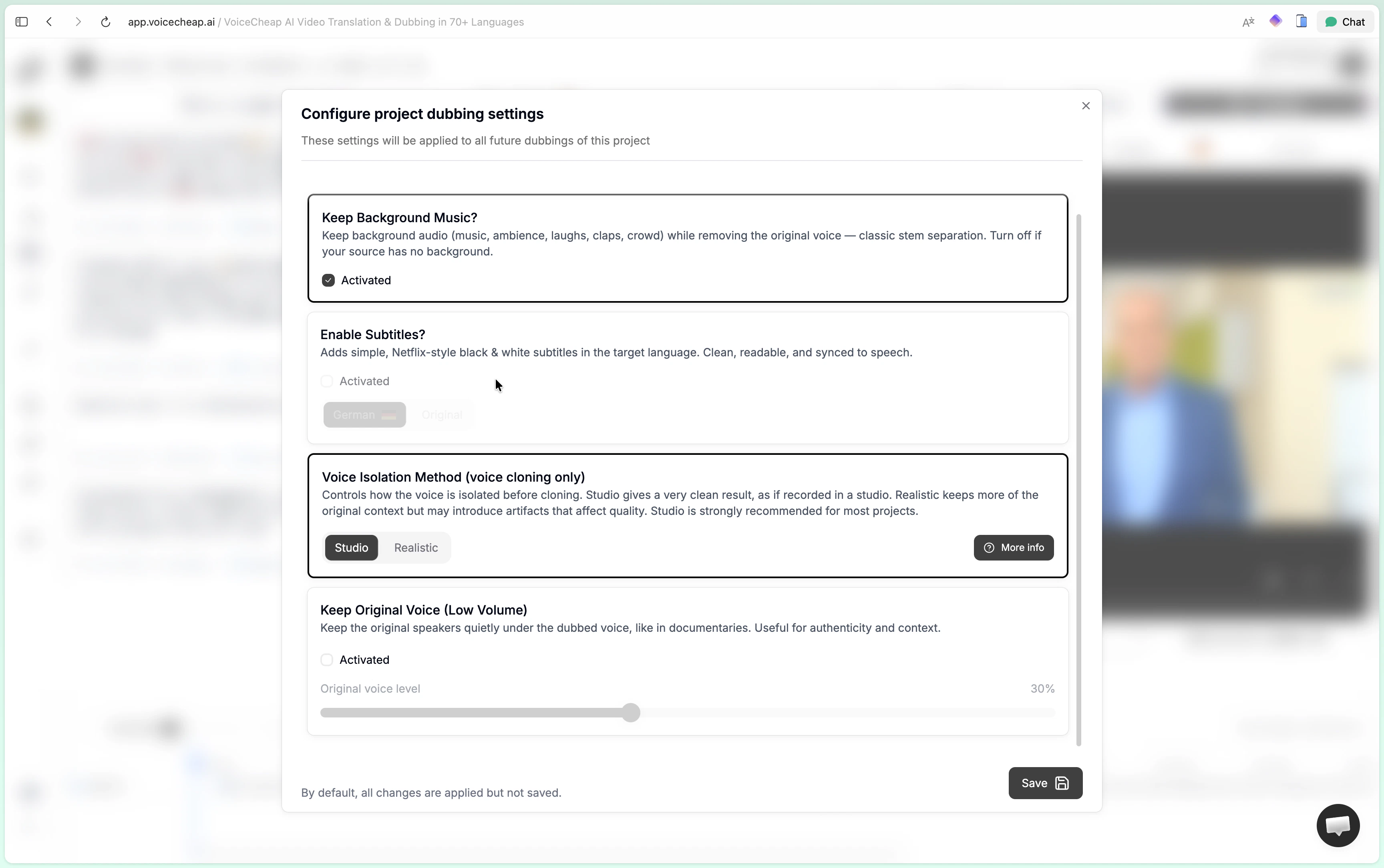
The three tabs
The modal is split into three sections:Dubbing settingsfor background audio, subtitles, and voice isolationVoicesfor voice cloning, voice library, and custom voicesInstructionsfor concise style guidance that shapes the translation
Dubbing settings
Keep background music
This option is enabled by default. When enabled, VoiceCheap keeps the non-speech layer from the original source:- music
- ambience
- laughs
- claps
- crowd noise
- other background sound
- podcast-style content with almost no real background layer
- cases where you want a fully clean dub without ambient carryover
- sources where stem separation would create more artifacts than value
Enable subtitles
Subtitles are optional. VoiceCheap uses clean, readable, cinema-style subtitles rather than animated creator subtitles. You can choose:- subtitles in the target language
- subtitles in the original language
Voice isolation method
This option matters for voice cloning. It controls how the voice is isolated before cloning.- Studio
- Realistic
Studio is the recommended default for most projects.It is designed for cleaner, more professional cloning:- removes echoes and reverberation
- cleans technical imperfections
- produces a crisp voice that feels closer to a studio recording
Keep original voice
This option is off by default. When enabled, VoiceCheap keeps the original speaker quietly underneath the dubbed voice. This can work well for documentary-style delivery, voiceover explainers, or cases where you want a trace of the original performance to remain in the mix.Voices
TheVoices tab gives you three voice strategies:
Use voice previews when available before committing to a full translation run.
Instructions
TheInstructions tab uses the same translation-guidance concept as the customization settings page. Keep instructions concise and style-focused.
Examples:
- YouTube-friendly tone
- neutral wording
- avoid slang
- sound more educational